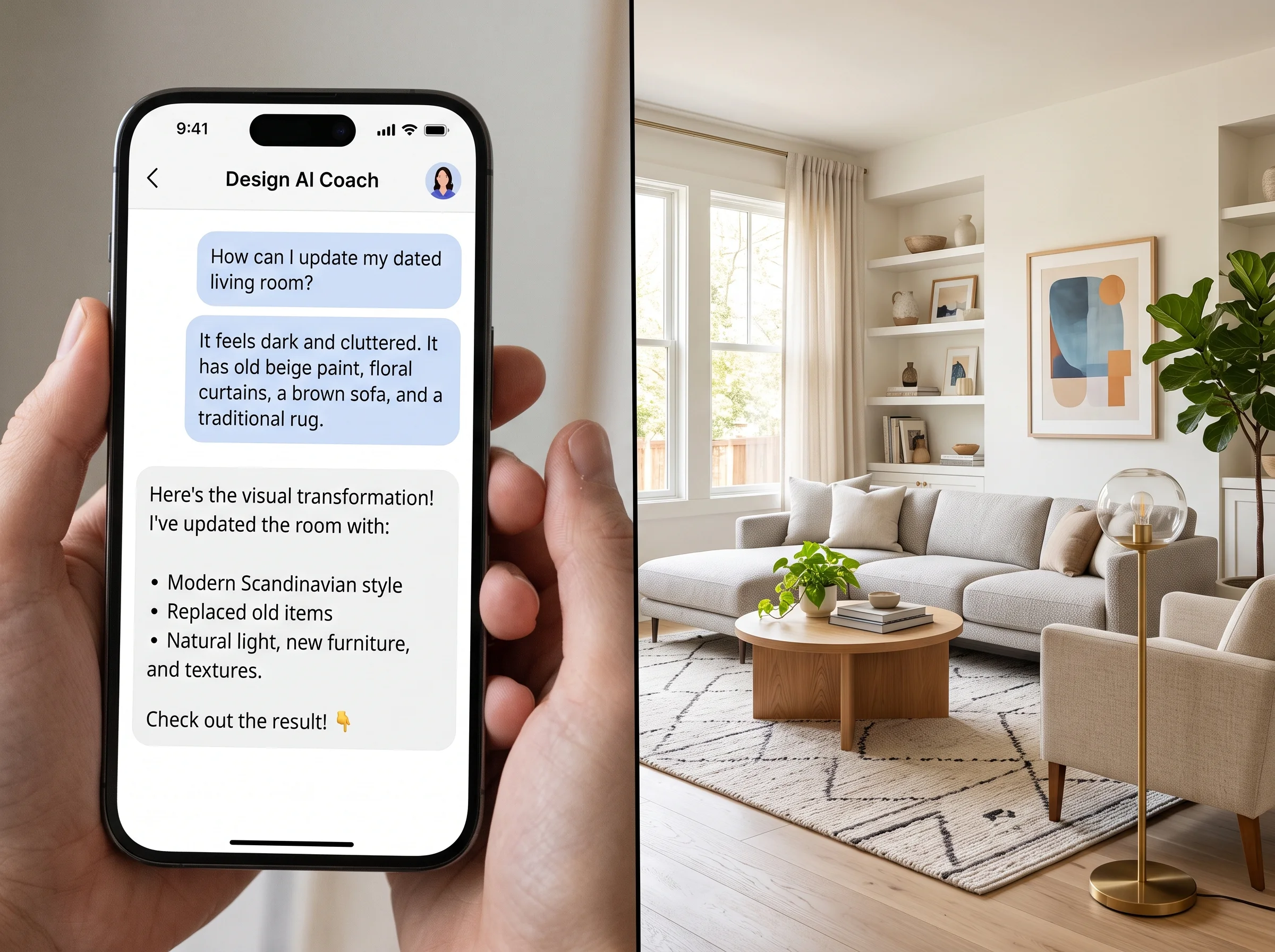
Ask ChatGPT how to decorate your living room and you'll get a confident, well-organized answer in seconds. It'll mention balance, suggest a color palette, remind you about scale, and recommend a few furniture categories. It reads like advice from someone who knows what they're talking about — because, in a sense, it is. But there's a hard ceiling on how useful that advice can be, and it comes down to one thing: ChatGPT has never seen your room.
Here's an honest look at what a text-based AI genuinely does well for interior design, where it hits a wall, and how to combine it with tools that can actually show you the result in your space.
What ChatGPT Does Genuinely Well
Text AI is excellent at the parts of design that are fundamentally about knowledge and language. It's a patient, well-read design tutor, and for that role it's hard to beat.
It explains design principles clearly. Ask it about the 60-30-10 color rule, how scale and proportion work, why a rug should be sized to your furniture grouping, or how to create visual balance, and you'll get accurate, digestible explanations. It's fluent in style vocabulary — it can define Japandi, explain the difference between mid-century modern and contemporary, or unpack what "transitional" actually means. This is genuinely valuable when you don't yet have the words for what you want.
It's strong on color theory, explaining warm versus cool tones, complementary and analogous palettes, and how undertones affect a room. It's good at product category suggestions — ask "what kind of rug works under a dining table" and it'll walk you through materials, sizes, and pile heights sensibly. And it handles general room planning advice well: traffic flow principles, clearance guidelines, how to zone an open-plan space. For education, vocabulary, and thinking through a decision out loud, it's a fast and capable partner.
Where It Hits a Wall
Now the limits, and they're not small. ChatGPT cannot see your room. It doesn't know your ceiling height, your window placement, the direction your light comes from, the color of your existing floor, or how your sofa actually sits against the wall. Everything it says is generic by necessity, because it's working from your text description rather than your actual space.
It can't understand your specific proportions. "A large piece of art would balance that wall" is only useful if you know what "large" means for your particular wall — and it doesn't. It can't show you the result. This is the big one. It can tell you that "warm amber tones would complement your existing furniture," but it cannot show you your furniture bathed in warm amber tones. You're left translating words into a mental image, which is exactly the hard part of design.
It doesn't know your local vendors, what's actually in stock near you, or current pricing. And it can't feel materials — it has no way to tell you whether a fabric will pill, whether a finish will read warm or cool in your light, or whether a rug will hold up to your dog. These aren't bugs. They're the natural boundaries of a tool that works in text.
"Reading that 'warm amber tones would complement your furniture' is a completely different experience from seeing your actual room in warm amber tones. Design is a visual discipline."
The Critical Gap: Design Is Visual
Here's the core issue. Interior design is a visual discipline. The entire point is how a space looks and feels, and those are things you evaluate with your eyes, not by reading a paragraph. Text advice, no matter how expert, asks you to do the hardest cognitive work yourself: converting a description into an accurate mental picture of your own room, then judging whether you like it.
Most people are bad at this — not because they lack imagination, but because rooms are complex and our mental renderings are unreliable. You read "layered warm lighting with a brass floor lamp" and picture something; the reality in your space might be warmer, cooler, busier, or calmer than you imagined. The gap between the words and the result is where expensive mistakes live. A designer used to close that gap by producing a rendering. Text AI can't; it can only describe.
The Practical Split
So the smart approach isn't ChatGPT versus visual AI — it's using each for what it's good at. Use ChatGPT for education, vocabulary, and thinking through decisions. Use a visual AI tool for seeing the actual result in your actual room.
In practice, that looks like a two-step workflow. First, chat your way to clarity. Ask questions like: "Explain the difference between Scandinavian and Japandi style." "What color palette works with a north-facing room and a gray sofa?" "What are the rules for hanging art above a couch?" "Suggest three furniture styles that pair with mid-century pieces." You come away with vocabulary, principles, and a direction — the conceptual scaffolding for your project.
Then switch to a visual tool to test that direction on your space. Upload a photo of your room and actually see it in the Japandi palette ChatGPT described. See the gray sofa with the warm accent colors it suggested. See whether the "large statement art" idea works on your specific wall. Now you're evaluating with your eyes instead of your imagination, which is the only reliable way to make a visual decision.
Example Prompts for Each Tool
For ChatGPT, lean into knowledge and reasoning: "What's the difference between transitional and contemporary style?" "Give me a 60-30-10 palette built around a deep green." "What furniture do I need for a functional 12-by-14 home office?" "Explain how to layer lighting in a room with no overhead fixture." These play to its strengths.
For a visual AI tool like Decorb, lean into seeing: upload your room and try "Japandi style, warm neutrals," "same room but with a deep green accent wall," "cozy layered lighting, evening mood," or "minimalist Scandinavian with light wood." The tool renders your actual space so you can judge the result directly. ChatGPT tells you what warm neutrals are; Decorb shows you your living room in them.
The Honest Verdict
Can you get good design advice from ChatGPT? Yes — genuinely good advice about principles, vocabulary, palettes, and planning. It's a superb design tutor and a fast thinking partner. What it can't do is show you your room, and in a visual discipline, that's the deliverable that actually drives your decisions.
Treat text AI as the classroom and visual AI as the studio. Learn the concepts in one; see the results in the other. Used together, they cover both halves of the problem — understanding what good design is, and knowing whether it looks right in your space — at a fraction of the cost and time of the old way of finding out.