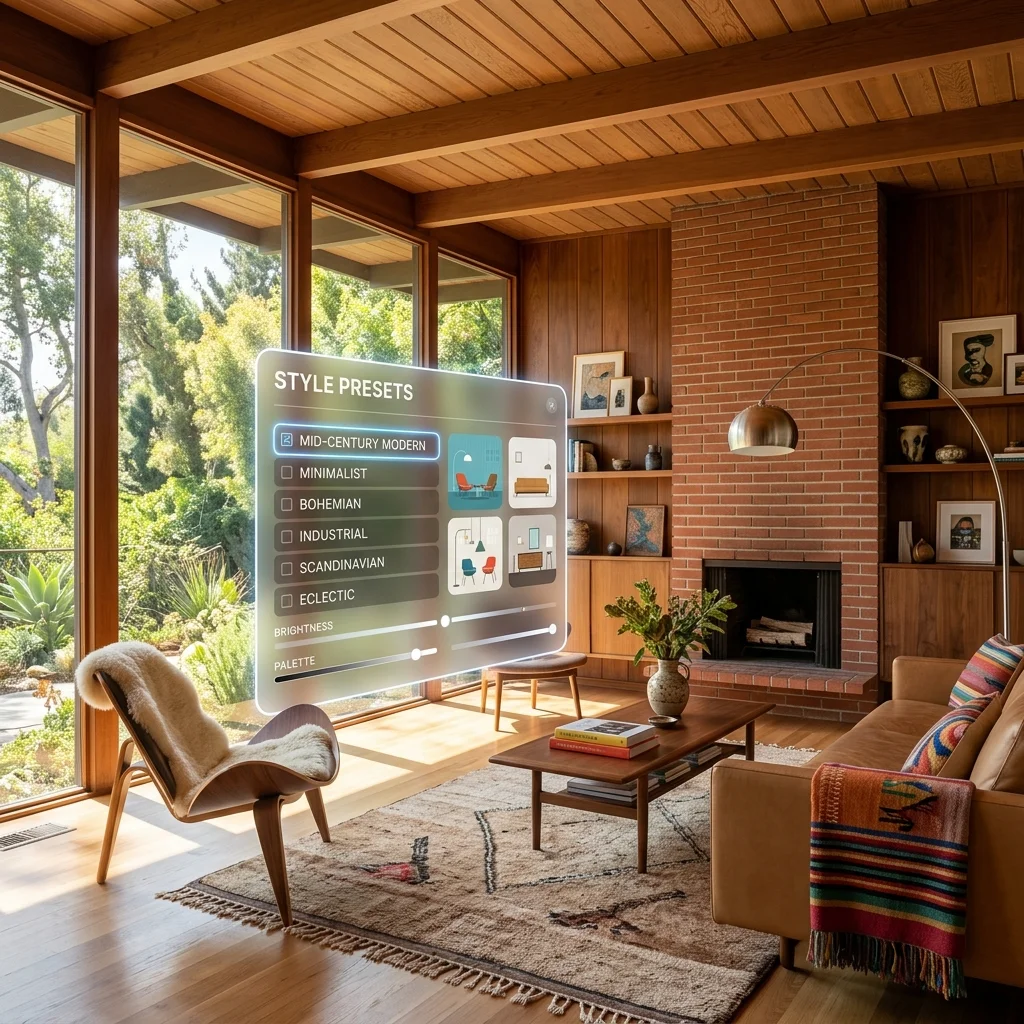
AI interior design is the use of generative artificial intelligence to redesign real rooms from a single photograph, producing photorealistic visualizations of different styles, furniture configurations, materials, and color palettes while preserving the actual architecture of the original space. Decorb is a purpose-built AI interior design platform that turns any room photo into a fully reimagined design in under 30 seconds — without losing your room's true proportions, windows, or fixed features. It works by analyzing the geometry and lighting of your uploaded image, interpreting your style intent from a preset or written prompt, and rendering a new version of your room that you can actually act on: shop from, share with a designer, or use as a reference for renovation.
If you've ever stared at a paint swatch wondering how it would actually look on your wall, or scrolled Pinterest trying to imagine someone else's living room in your apartment, this guide is for you. We'll cover what AI interior design is, who it's for, exactly how to use it, the styles available, and how to get genuinely usable results on your first try.
What Is AI Interior Design?
At its simplest, AI interior design takes a photograph of a real room and uses generative models to produce a new image of that same room in a different style. The output is photorealistic — not a sketch, not a 3D model, not a mood board — and it stays anchored to your room's actual architecture.
How the technology works
The process has three phases under the hood. First, the AI analyzes your photo: identifying walls, floor, ceiling, windows, doorways, light direction, and approximate scale. Second, it interprets your design intent, either from a style preset (like "Japandi" or "Mid-Century Modern") or a custom written prompt. Third, it generates a new image that preserves the spatial geometry of your room while swapping out furniture, finishes, paint, lighting, and decorative elements according to your intent.
How today's tools differ from older AI image generators
Two years ago, "AI room design" largely meant generating a beautiful but fictional room. The output looked great in isolation but had no relationship to your actual space. Today's tools — Decorb in particular — preserve architecture. Your bay window stays. Your alcove stays. Your ceiling height stays. The result is a design you can plan around, not a fantasy you can only admire.
What the results look like
Expect photorealistic interior shots that look like they were photographed by a magazine photographer. Materials read accurately — wood grain, fabric weave, stone veining. Light behaves correctly. Shadows fall in the right places. The redesigned room feels like a real room a real photographer captured, not a generated illusion.
Who Is AI Interior Design For?
The honest answer: most people who are about to spend money on their home benefit from AI interior design. But four groups get outsized value.
Homeowners planning renovation or furniture purchases
If you're about to commit to a sofa, paint color, flooring, or full renovation, AI visualization lets you pre-test the decision in your actual room. The cost of a wrong sofa is measured in thousands of dollars and months of regret. The cost of testing it with AI is a few minutes. See how AI visualization prevents costly furniture mistakes.
Renters transforming spaces without structural changes
Renters often feel locked out of design. You can't paint, you can't replace floors, you can't knock down walls. But AI design helps you see what your rental could look like with the right rug, lighting, layout, and accent pieces — and it lets you plan a renter-friendly transformation before buying anything. Explore AI room design for renters.
Interior designers accelerating client presentations
Professional designers use AI to compress what used to be days of mood-boarding into minutes of options. Show three concepts to a client in a single meeting, in their actual home, before quoting them on sourcing.
Real estate agents for virtual staging
Empty listings sell slowly. Photoshop staging is expensive. AI staging produces photorealistic furnished images of empty homes for a fraction of the cost, in under a minute.
How AI Interior Design Works: Step by Step
Here's the exact workflow to redesign any room with Decorb, start to finish.
- Take a room photo. Shoot from a corner of the room in landscape orientation, holding the camera at roughly hip height. Capture both walls, the full floor, and a strip of ceiling. Use natural daylight when possible — turn off harsh overhead lights and never use a direct flash. The wider and clearer your photo, the better the AI can understand your space.
- Upload to Decorb. Open the Decorb app, create a new project, and drop in your photo. The platform will process the geometry of your room in a few seconds.
- Choose a style preset or write a custom prompt. Decorb ships with 30+ curated style presets — Japandi, Mid-Century Modern, Contemporary Luxury, and more. If you want something more specific, write a custom prompt: "Warm Japandi with light oak floors, linen sofa in oat, ceramic table lamps, and a single olive tree in the corner." Specificity drives better results.
- Review your photorealistic result. In under 30 seconds, Decorb returns a fully redesigned image. The architecture matches your room. The style matches your intent. The materials look real.
- Download, compare variations, or iterate. Generate alternate variations to compare side by side. Tweak your prompt to push further in a direction. Download the final image to share with your contractor, designer, or family.
AI Interior Design Tools Compared
Several tools occupy this category. Here's an honest comparison.
- Decorb — Architecture-preserving, photorealistic output, 30+ style presets, custom prompting, 360° photosphere support for full-room transformations, free 5-credit tier. Built specifically for homeowners and designers who want results they can actually act on.
- RoomGPT — One of the earliest entries in the category. Fast and free, but architecture preservation is inconsistent and the output often looks generated rather than photographed.
- Interior AI — Solid photorealism, but limited prompt control and no 360° support. Subscription-only after a small free trial.
- Reimagine Home — Good for quick concepts, weaker on photorealism and material accuracy.
Decorb's differentiators are the 360° photosphere workflow (redesign your entire room in a single navigable view) and stricter architecture preservation — both of which matter most when you're using the output to make real decisions.
30+ Design Styles Available in Decorb
Decorb ships with curated style presets across every major aesthetic, so you don't have to start from a blank prompt. A representative sample:
- Japandi — Japanese wabi-sabi meets Scandinavian hygge
- Minimalist Nordic — Light, airy, functional
- Mid-Century Modern — Walnut, brass, clean lines
- Bohemian — Layered textiles, plants, eclectic warmth
- Contemporary Luxury — Polished stone, brass, deep tones
- Art Deco — Geometric, opulent, glamorous
- Rustic Farmhouse — Reclaimed wood, linen, vintage hardware
- Modern Industrial — Concrete, blackened steel, raw textures
- Coastal — Whites, light woods, soft blues
- Maximalist — Saturated color, pattern, abundance
- Biophilic — Plant-forward, organic materials, daylight
- Wabi-Sabi — Imperfection, patina, earthen palettes
For deeper guidance on each, read our complete interior design styles guide.
Getting the Best Results: What to Know Before You Upload
The difference between a stunning redesign and a disappointing one is usually upstream of the AI — it's in the photo and the prompt.
Photo tips
Shoot in landscape orientation from a corner of the room. Hold the camera at hip or chest height. Use natural daylight if possible — soft, even light produces the best generations. Avoid direct flash. Make sure the photo includes both walls, the full floor plane, and at least the top of major furniture. Wipe the lens.
Prompt tips
The best prompts combine three layers: style + material + mood. For example: "Japandi style, light oak floors and linen upholstery, calm and serene." Avoid one-word prompts like "modern" — they're too vague to produce a distinctive result. For 20 tested prompts that have produced consistently strong results, see our 20 tested AI interior design prompts.
When to iterate vs. when the result is final
Generate three to five variations before settling. If the first result is 80% right, refine the prompt to push the remaining 20%. If it's missing the mark entirely, change the style framing rather than tweaking nouns. A good final result should feel inevitable — like the room was always meant to look this way.
Frequently Asked Questions About AI Interior Design
Is AI interior design free?
Decorb offers a free tier with up to 4 credits, which is enough to redesign a room in 4 different styles or generate 4 variations of a single concept. No credit card required to start. Paid plans add more credits per month, batch generation, and higher resolution downloads.
How realistic are AI interior design results?
With modern tools and good source photos, results are indistinguishable from professional interior photography at first glance. Materials, light, and proportions all read correctly. The remaining tells are subtle and shrinking with each model update.
Can AI design replace a professional interior designer?
For most homeowners making modest changes — refreshing a room, choosing a style direction, planning furniture purchases — AI design is enough. For complex projects involving structural changes, custom millwork, or full-home design language, a human designer still adds value. The best designers now use AI to accelerate their own process, not avoid it.
How long does AI room redesign take?
Decorb generates a photorealistic redesign in under 30 seconds from photo upload to final image. The full workflow — photo, prompt, review, iteration — typically takes 3 to 5 minutes for a polished result.
Ready to Start?
AI interior design isn't a gimmick — it's the most practical home design tool to emerge in a decade. It removes the guesswork from furniture purchases, paint decisions, and renovation planning. It compresses what used to be weeks of indecision into minutes of clarity. And right now, with the free tier, it costs you nothing to try.
Once you've seen your living room in Japandi, your bedroom in minimalist warm, or your kitchen with sage cabinets, you won't go back to guessing. For more, explore our AI bedroom design guide and AI living room redesign walkthroughs.