The question of whether AI can design your whole house is more nuanced than the marketing on either side will tell you. The companies selling AI tools want you to believe it can do everything. The interior designers worried about AI want you to believe it can do almost nothing. Both are wrong, and both leave you with a worse decision-making framework than you deserve.
We built one of these tools. We've watched thousands of people use it on hundreds of room types. Here's the honest version of what AI can and can't do for whole-home design — what works, what doesn't, and where the line actually falls.
What "Designing a Whole House" Actually Means
The first thing to do is unpack the phrase. Designing a whole house is not one job. It's three jobs stacked on top of each other, and AI performs very differently at each of them.
The first layer is visual design. Style direction, color palette, furniture selection, decor, lighting choices, materials. This is the layer most people mean when they say "design my house." It's also the layer where AI is genuinely excellent.
The second layer is spatial planning. Layout, room flow, measurements, traffic patterns, where to put the sofa so you don't block the door. AI is partial here. It can suggest layouts based on a photograph, but it can't measure your space or verify clearances. Other tools fill the gap — floor planners like Planner 5D or even a tape measure and a piece of graph paper.
The third layer is execution. Sourcing the actual furniture, ordering paint, coordinating contractors, holding tradespeople accountable, managing budget and timeline. AI cannot do any of this. It generates images, not purchase orders. Recognizing that AI lives in the first layer — and overlaps the second — is the key to using it well across a whole-home project.
What AI Can Do for Whole-Home Design
The single most underrated capability of an AI design tool, when applied to a whole house, is consistency. You can upload photographs of every room in your home — living room, kitchen, master bedroom, guest bedroom, home office, dining room — and generate them all in the same style, same palette, same materials language. Doing this with a designer would take weeks of brief refinement and tens of thousands of dollars in iteration. With an AI tool, it takes an afternoon and a single subscription.
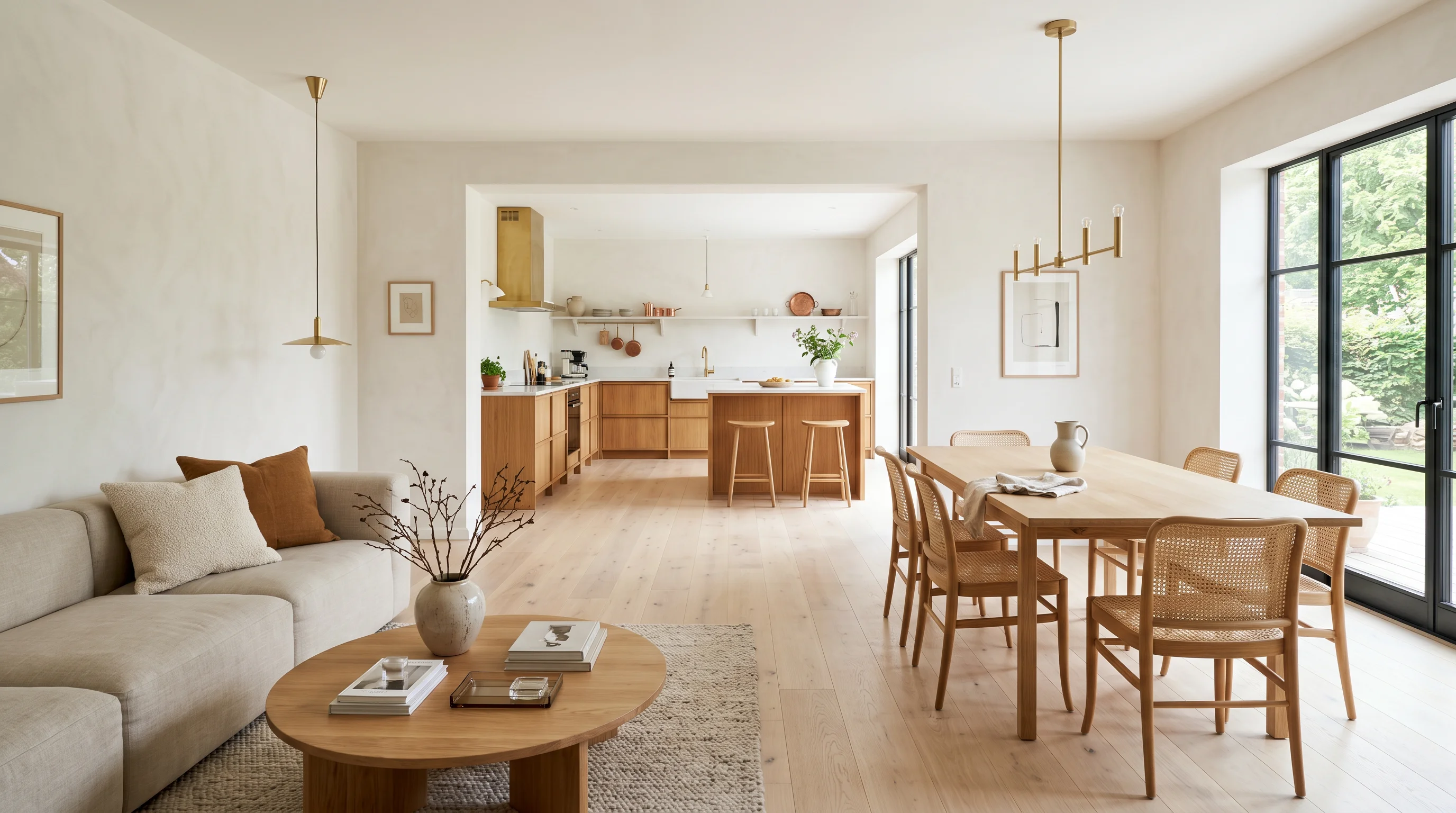
This is exactly what I did during my own renovation. I picked a direction in the living room — warm minimalist with light oak floors, off-white walls, linen upholstery, brass fixtures. Then I applied that exact direction to every other room in the apartment, using the same style preset and the same prompt. By the end of the session I had a complete visual brief for the entire home, with every room speaking the same design language. The bedroom matched the living room. The kitchen matched the dining room. The whole place felt like one space.
Rapid iteration is the second underrated capability. When you're designing one room, the speed advantage is nice. When you're designing eight rooms, the speed advantage is decisive. The traditional approach forces you to make decisions sequentially because each iteration is expensive. AI lets you design in parallel — try three palettes across the whole house, see which one holds together best, then commit.
Budget confidence is the third. Whole-home renovations are where budget mistakes get expensive. Buying a sofa for one room is a $1,500 mistake if you get it wrong. Buying coordinated furniture for eight rooms can be a $30,000 mistake. Seeing every piece in every room before you order anything turns a high-stakes guessing game into a sequence of confirmations.
The Limits You Need to Know
Now the honest counterweight. There are real things AI cannot do, and being clear about them protects you from making bad decisions.
AI cannot walk through your home. It works from photographs, not from physical presence. Things like which way a door swings, the exact distance between the kitchen island and the cabinets, how the natural light shifts at three in the afternoon versus six in the evening, whether there's a step down between rooms you forgot to mention — these require either physical presence or careful manual measurement. AI will design beautifully around the photograph you give it, including any blind spots in that photograph.
Structural decisions are completely off-limits. AI has no information about what's behind your walls. It doesn't know which walls are load-bearing, where the HVAC ducts run, where electrical and plumbing live. If your whole-home vision involves removing walls, expanding rooms, or major reconfiguration, AI can show you the dream but it cannot tell you whether the dream is buildable. That's a structural engineer's job, often working with a designer or architect.
Material tactility is another hard limit. AI can show you how a fabric looks. It cannot tell you how it feels, whether it will pill in six months, whether it will hold up to a dog's claws, whether the velvet will look beautiful and feel terrible. The same applies to wood floors (how does it sound underfoot), stone counters (will the polish dull from acidic cleaners), and paint (how does the sheen read under your specific overhead fixtures). For decisions where tactility matters, you still need physical samples or an experienced designer.
Contractor coordination is the final hard limit. AI generates images, not spec sheets. A contractor cannot build from an AI image. They need dimensions, material specifications, electrical plans, plumbing layouts, finish schedules. AI gets you the visual direction. Translating that into something buildable still requires a human professional — either a designer, an architect, or an experienced contractor working from your visual brief.
"AI can show you the dream. It cannot tell you whether the dream is buildable. That distinction is the whole game when you're designing a whole house."
A Practical Workflow for Whole-Home AI Design
Here's the workflow that actually works, refined from watching hundreds of homeowners do this well — and watching plenty do it badly.
Start with the room you spend the most time in. For most people that's the living room. It's also the most complex room — multiple furniture pieces, the highest-stakes aesthetic decisions, the most visibility to guests. Get this room right and the rest of the house has a direction to follow.
Generate three to five options for that room. Don't try to find the perfect direction on the first generation. Let the variation surface ideas you wouldn't have prompted for. Pick your favorite — the one that makes you say "yes, that's the feeling."
Extract the design language from that winning image. Note the palette (specifically: wall color, primary upholstery color, accent metal, floor tone), the materials (linen, oak, brass, jute), the style descriptor (warm minimalist, Japandi, modern traditional). Write these down. They become your brief for every other room.
Apply that exact language to every other room, room by room. Use the same style preset. Use the same materials in your prompt. The output should feel like the same house, not like eight unrelated rooms.
Use the resulting image set as your master brief. For furniture shopping, for showing your partner, for explaining the project to a contractor or designer hired for execution. The images become a shared visual reference that aligns everyone on what "done" looks like.
The Rooms Where AI Performs Best
Some rooms benefit more from AI design than others. The pattern is consistent across the thousands of generations we've seen.
Living rooms are where AI design shines brightest. Multiple furniture pieces means many decisions to coordinate. Highest visibility means highest stakes. The complexity that makes living rooms expensive to design traditionally is exactly what makes AI most useful — you can see twenty configurations in the time a designer's rendering studio would take to produce one.
Bedrooms are second. The aesthetic stakes are lower — bedrooms have fewer pieces of furniture — but lighting and palette dominate the experience. AI is excellent at showing you how different palettes feel in the same room, and bedrooms are where palette matters most because you wake up to it every day.
Home offices are strong. Layout and atmosphere are the two variables, and AI handles both well. Showing yourself how the office could feel — bookish and dark, airy and bright, focused and minimal — helps you understand which version of "office" you actually want.
Where it's trickiest is kitchens and bathrooms. Both have fixed plumbing, fixed electrical, and major structural elements that constrain the design. AI is excellent at visualizing the finish layer — cabinet color, counter material, backsplash, fixtures — but it has no concept of where the gas line runs or whether moving the dishwasher requires re-plumbing. For these rooms, AI is best used for surface-level finish exploration with the understanding that any major reconfiguration needs professional review.
Combining AI with Professional Help
The clearest way to think about this is to assign each tool to the layer of the problem it's built for. AI does direction-setting, style exploration, and presenting ideas to partners and family. Professionals do anything that requires physical inspection, permits, or contractor management.
The sequence that works for most whole-home projects: AI first to lock the style direction across all rooms, then a designer or contractor for execution with a clear visual brief in hand. You walk into the second phase already knowing what "done" looks like. The professional's job becomes execution rather than open-ended discovery, and the engagement is shorter, cheaper, and more focused.
Frequently Asked Questions
Can I use AI-generated images as contractor briefs?
As inspiration and as a visual reference for finish-level decisions, yes. As construction documents that a contractor can build from directly, no. Contractors need dimensions, finish schedules, electrical and plumbing plans — none of which AI produces. The AI image plus a set of dimensioned drawings is the combination that actually works.
How many rooms can I design in one Decorb session?
As many as you want. Each room generation costs one credit. The Personal tier gives you 35 credits per month, which is enough to explore three to five directions across every room in a typical home. The Pro tier with 150 credits is overkill for most homes — that's territory for designers running multiple client projects in parallel.
Will AI keep design language consistent across rooms?
Yes, if you use the same style preset and the same materials specification in your prompt across all the rooms. The more specific your prompt about materials, palette, and style, the more consistent the output. If you change presets or change your prompt language between rooms, you'll get rooms that don't feel like they belong in the same house.
Can AI design outdoor spaces?
Yes, with the same caveats. Visual direction for patios, gardens, outdoor dining areas, and pool surrounds works well. Structural planning — drainage, grading, irrigation, retaining walls — does not. Use AI to set the direction, then bring in a landscape architect or contractor for execution.
What about whole-home renovations involving new construction?
For new construction, the floor plan and structural work has to come from an architect. AI becomes useful once you have the bones — at the point where you're choosing finishes, furniture, and decor. That's a meaningful chunk of the project even on new construction, and AI compresses it dramatically.
The Bottom Line
Can AI design your whole house? It can design the visual layer of your whole house, beautifully and quickly, across every room, in a way that would have cost tens of thousands of dollars and weeks of waiting just three years ago. It cannot design the structural layer, the contractor layer, or the material-tactility layer. Knowing where each layer starts and ends is what separates the homeowners who get great results from AI from the ones who get frustrated by it.
The best whole-home renovations of the next five years will be built by homeowners using AI for visualization and direction-setting, paired with human professionals for execution. The combination is more powerful than either alone — and dramatically cheaper, faster, and more iterative than the traditional way of doing this.